



Thank the client
“I just met with Maya. Help me send a thank-you that feels personal.”
Escargot suggests a thoughtful card and note while the conversation is still fresh.

Escargot for ChatGPT and Claude
Tell ChatGPT or Claude who came to mind. Escargot finds the card, handles the details, and puts it in the mail after you approve it.
One copy and paste, then secure sign-in
Start with the words you would actually say
No forms to hunt down and no separate workflow to learn. Share a date, ask what is coming up, or pick up where a conversation left off.
Thank the client
“I just met with Maya. Help me send a thank-you that feels personal.”
Escargot suggests a thoughtful card and note while the conversation is still fresh.

Mark the milestone
“Jordan is back from paternity leave next week. Help me welcome him back.”
Escargot remembers the date and helps you send something warmer than another welcome-back email.
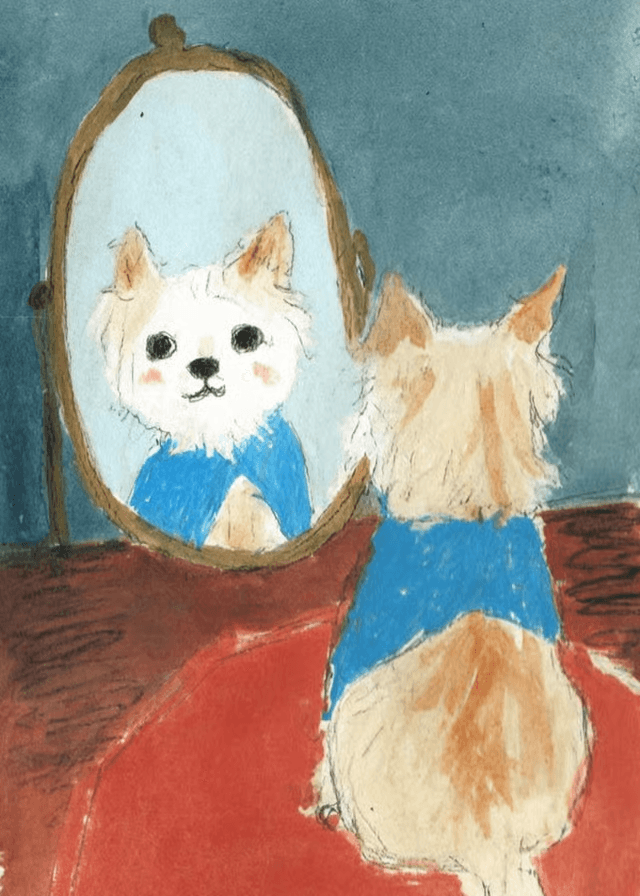
Use what you learned
“Sam mentioned his dog on our call. Find a card that feels like him.”
Escargot searches the card catalog for a design that fits the person and the moment.
Sending to a group? Escargot can prepare a batch while still showing you every recipient and the total price before it goes out.
The right card matters
Search thousands of artist-designed cards by occasion, style, or a detail that reminds you of someone. See the artwork in your chat and choose the card that feels right.
“Sam mentioned his silver 911 Targa. Find a card that starts there.”

From conversation to mailbox
Share the person, the reason, and any detail that made you think of them.
Escargot searches artist-designed cards, then shows the options in your chat.
Check the artwork, note, recipient, address readiness, and full price before sending.
Finish reviewing your cards, then approve the exact cards and total in chat. Escargot asks you to open a secure page only if account or payment setup is needed.
Nothing sends or charges without approval
Payment stays private
One recipient or a whole list
Connect once
Connect your Escargot account, then tell your assistant who the card is for. Choose a design and make the message your own. You’ll check the price and mailing details before you send.
Uses your Escargot account
No API key to copy
Payment details stay in Escargot
Open Plugins in the sidebar and choose Create app. Name it Escargot, paste this link, and keep OAuth selected. Some accounts still call this section Apps. Custom apps need developer mode and may need approval from your workspace admin.
ChatGPT setup helpChoose Connect, sign in to Escargot, and approve the connection. Then return to your chat to start a card.
Enable Escargot in your chat, then say who the card is for and what you want to say. Choose a design, edit your message, and finish the review. Then approve the exact cards and price in chat.
“Help me send a thank-you card to Alex.”
Try this first
“Help me send a thank-you card to Alex.”
Manual setup
Use the client-specific command, remote HTTP configuration, or local fallback for Claude Code, Codex, or other developer tools.
Add Escargot as a user-scoped remote HTTP server. Claude Code handles OAuth itself; do not run an Escargot CLI login for this remote connection.
claude mcp add --transport http --scope user escargot https://v2.escargot.com/v1/apps/escargot/mcpStart Claude Code, open /mcp, choose escargot, and follow the browser sign-in and consent flow.
Add the remote server to the Codex MCP configuration, then start its native OAuth flow. The Codex app, CLI, and IDE extension share this configuration.
codex mcp add escargot --url https://v2.escargot.com/v1/apps/escargot/mcp
codex mcp login escargot
Complete Escargot sign-in and consent in the browser, then restart Codex or begin a new task if the tools are not visible yet.
Use Streamable HTTP with the endpoint below. Your client must support MCP OAuth and should open Escargot's browser authorization flow when the server returns its authentication challenge.
{
  "mcpServers": {
    "escargot": {
      "type": "streamable-http",
      "url": "https://v2.escargot.com/v1/apps/escargot/mcp"
    }
  }
}
Configuration file names and transport labels vary by client. Keep the server name escargot and use the exact endpoint shown here.
Use this only when your client cannot complete remote MCP OAuth. The local server launches its own device-code browser flow and stores MCP-scoped credentials; no separate escargot login command is required.
{
  "mcpServers": {
    "escargot": {
      "command": "npx",
      "args": [
        "-y",
        "--package",
        "@escargot/cli",
        "escargot-mcp"
      ],
      "env": {
        "ESCARGOT_API_BASE_URL": "https://v2.escargot.com",
        "ESCARGOT_WEB_BASE_URL": "https://escargot.com"
      }
    }
  }
}
The first tool call may open a browser. Finish sign-in there, return to the MCP client, and retry the tool after authorization completes.
Escargot can manage contacts and important dates, spot timely follow-ups, search existing cards, check recipients, prepare a preview, and report delivery status.
get_workspace_contextpreview_recipients_csvcreate_mailing_journeyget_mailing_journeyget_mailing_reviewupdate_mailing_journeyopen_mailing_composercreate_address_requestsubmit_approved_mailingget_mailing_statuscreate_failed_recipient_retrysearch_contactscreate_contactset_contact_relationshiprecord_contact_daterecord_relationship_signallist_relationship_opportunitiessearch_cardssuggest_card_ideaslist_templatescreate_templatelist_recipient_listsget_recipient_listcreate_recipient_listupdate_recipient_listadd_recipient_list_memberupdate_recipient_list_memberdelete_recipient_list_memberdelete_recipient_listfind_office_addressesconfirm_office_address